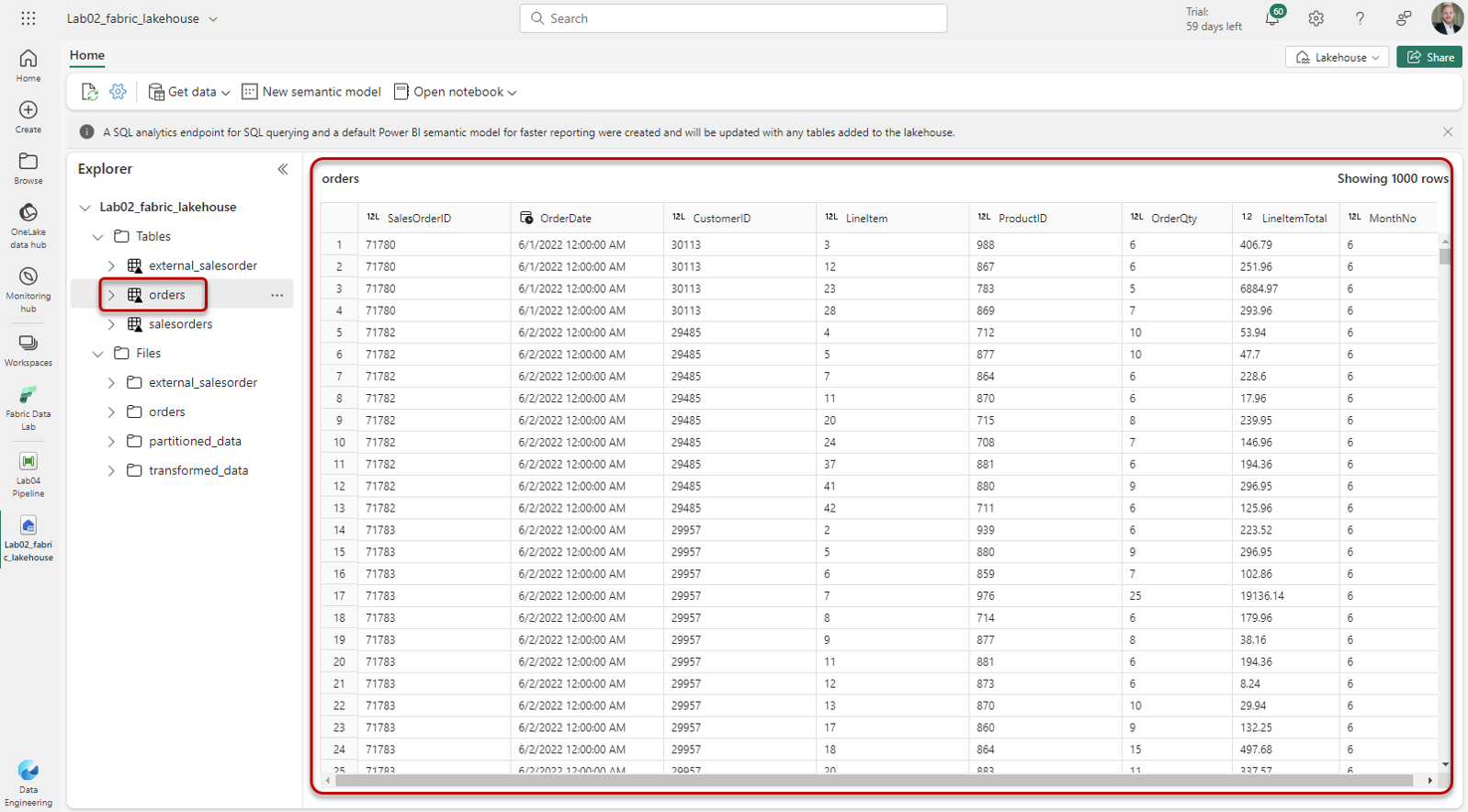
Loading data via Gen2 Dataflow to Lakehouse table
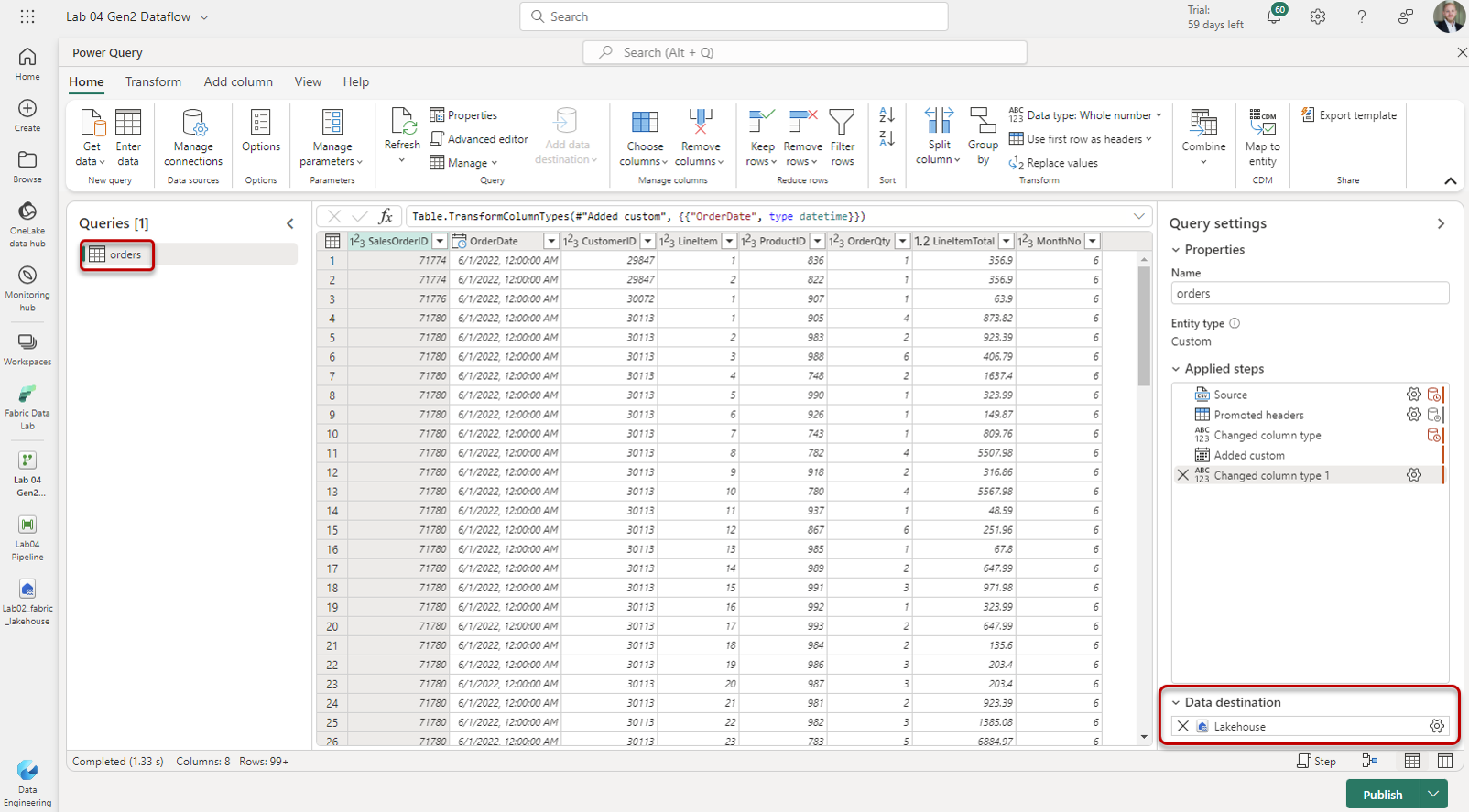
1. Create new Gen2 Dataflow and create query
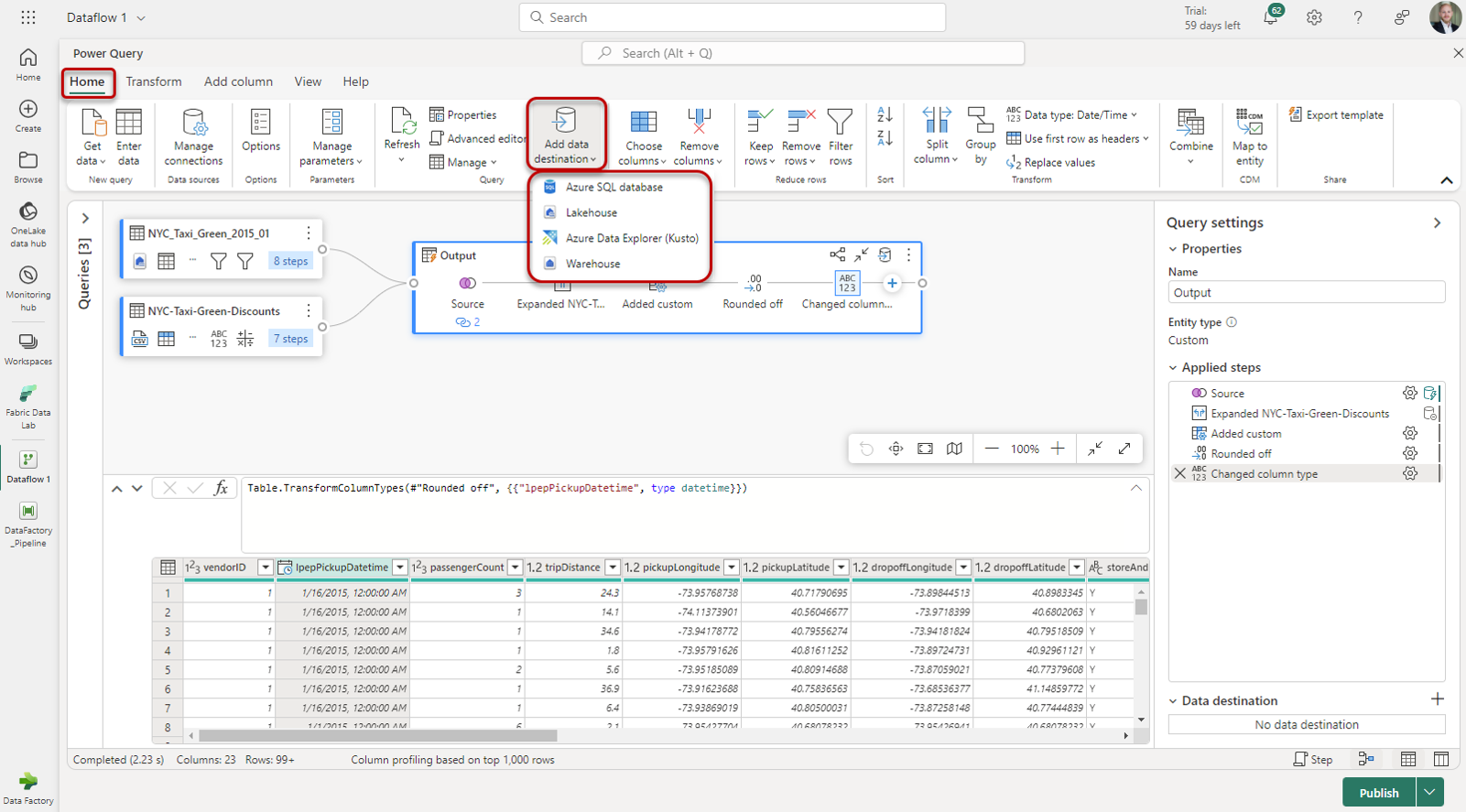
2. Select destination Lakehouse for newly created query
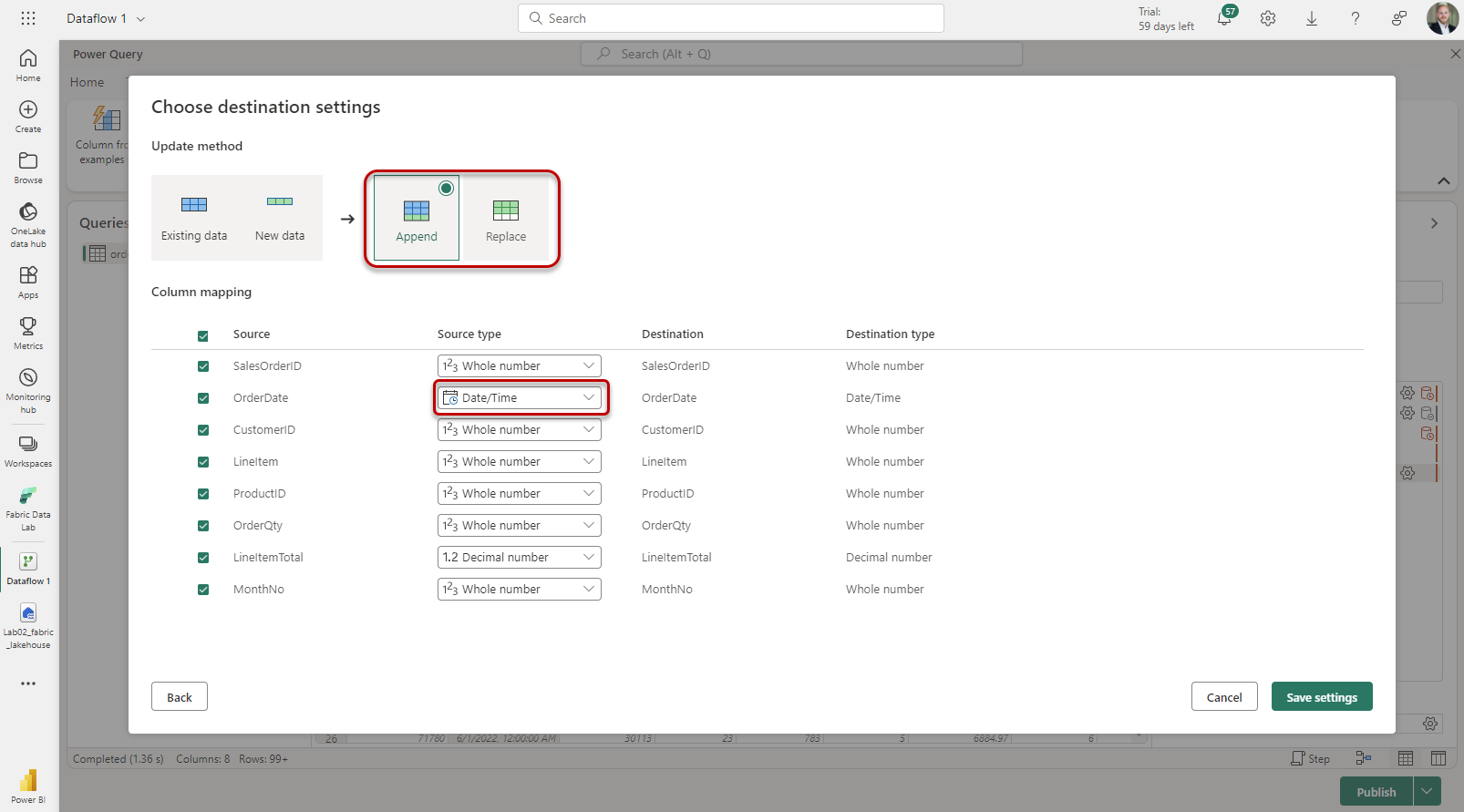
Make sure to use Datetime instead of just Date formats:
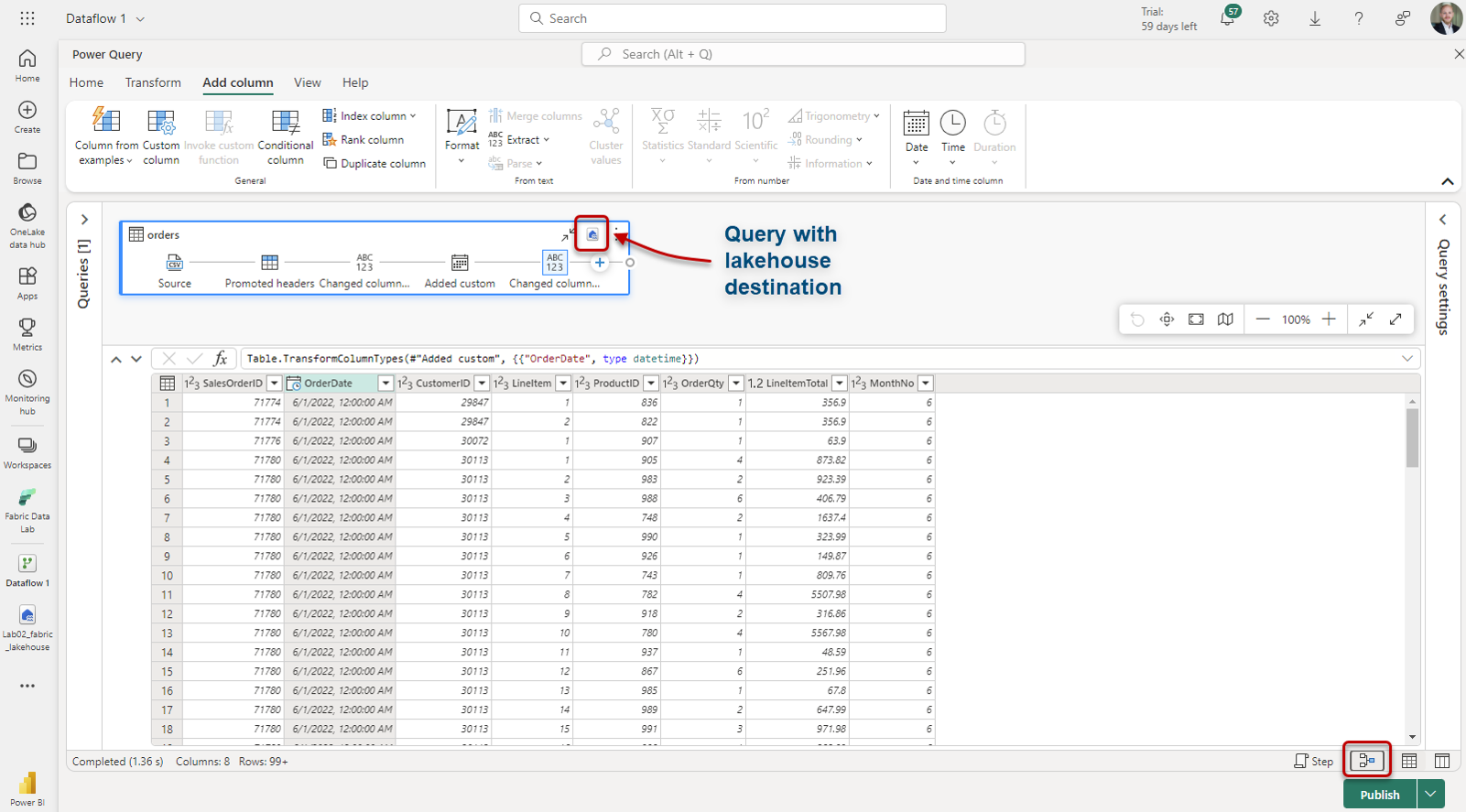
Alternative menu to select data destination:
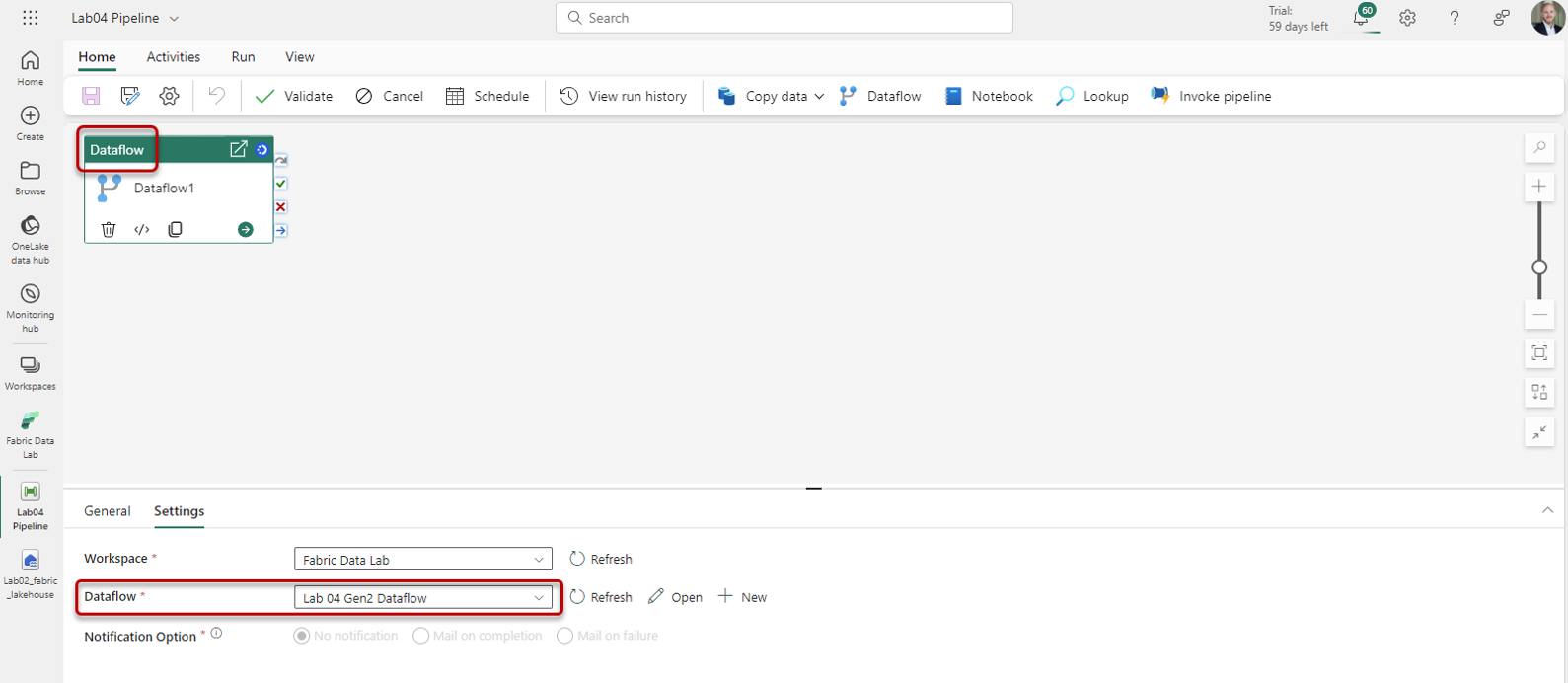
3. Create new Pipeline and add Dataflow action that references just created Gen2 Dataflow
4. Trigger Pipeline
5. Check for data in Lakehouse